Key takeaways
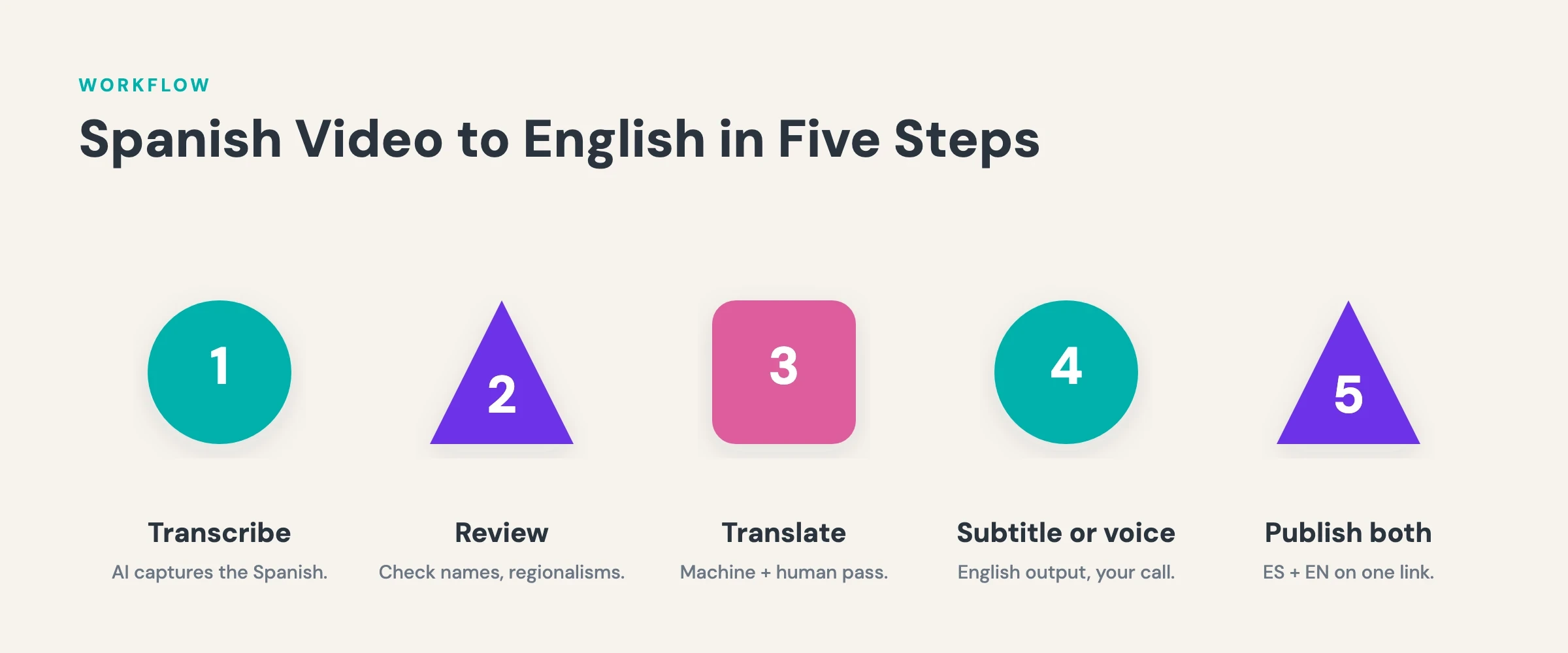
- Five steps: transcribe the Spanish audio, review it, machine-translate to English, review again, then publish as subtitles or an AI voiceover.
- alugha transcribes Spanish audio at 98% speech accuracy: speaker detection and color coding keep fast dialogue attributable.
- Spanish typically runs longer than English: a gift for subtitle timing, a pacing check for AI voiceovers.
- Regional variants matter: Castilian and Latin American Spanish name everyday things differently, and the transcript review pass is where you settle them.
- Both languages live on one video: language tracks give Spanish and English their own audio and subtitles behind a single link.
Translate your first Spanish video without leaving one platform. Compare alugha plans ?
Why translate a Spanish video to English
To translate a Spanish video to English, you need four things: an accurate Spanish transcript, a reviewed English translation, a decision on output format, and a player that serves both languages from one link. Miss any one and the result shows it. A sloppy transcript hardens into a sloppy translation, and a two-file workflow splits your audience between two URLs.
This guide walks the full route: transcription, review, machine translation, and the choice between English subtitles and an English AI voiceover. It serves two groups: Spanish-language creators reaching for English-speaking viewers, and teams whose content was produced in Spain or Latin America and now needs an English working copy. The audience numbers explain the pull: more than 630 million people worldwide speak Spanish in some form, 520 million of them native speakers, past the half-billion mark for the first time (Instituto Cervantes, 2025), while English counts about 1.53 billion speakers (Ethnologue, 2026). A reviewed English version is the bridge between those two audiences. For the method behind any language pair, see the complete guide to translating a video.
Who needs Spanish to English video translation
Spanish-language creators reaching English audiences
Spanish-language creators sit on catalogs that English-speaking viewers never find. The videos exist. The audience exists. The only thing standing between them is the language layer. English subtitles change the discovery math: search engines index the English text, and a viewer who would scroll past a Spanish-only video stays when the captions carry the content. The US market shows the scale: more than 43 million people speak Spanish at home in the United States (US Census, 2023), and a Spanish catalog with English subtitles serves both them and the English-speaking majority around them. So the practical question is not whether to translate but how to do it without re-recording an entire catalog.
Companies with content from Spain and Latin America
The corporate case runs in the other direction. Teams in Madrid, Mexico City, or Bogotá produce training, product, and marketing video in Spanish, and the English version becomes the working copy for headquarters, US customers, or partners. Customer preference backs the investment: 76% of online shoppers prefer to buy with information in their own language (CSA Research, 8,709 consumers in 29 countries). English also earns a second role as the pivot language: once a reviewed English version exists, it is the natural source text for every language that follows. That makes this translation the first entry in a multilingual library, not a one-off job.
What makes the Spanish to English pair specific
Length: Spanish text typically runs longer
Spanish typically needs more words and syllables than English to say the same thing, so the English translation usually comes out shorter. Where a speaker says lo que tenemos que hacer a continuación, the subtitle says what we do next. For subtitles, that asymmetry works in your favor: the shorter English lines sit comfortably inside the timing set by the original speech. For an AI voiceover, it cuts the other way. The generated English audio can finish before the scene does, leaving the speaker’s lips moving in silence, so the voiceover deserves a pacing review, not a blind export.
Fast conversational speech
Conversational Spanish is fast. Interviews, podcasts, and unscripted dialogue carry a high syllable rate, and rapid speaker changes are where automated transcription earns or loses its accuracy. alugha’s speech-to-text runs at 98% speech accuracy with speaker detection, and color coding separates each voice, so a fast two-person exchange arrives as attributable text instead of a wall of words. The faster the audio, the more the review matters. Spoken Spanish leans on fillers such as bueno, pues, o sea, and a trailing ¿no? that belong in a transcript but not in a subtitle. Condensing that speech to reading speed stays an editorial decision, not an automated one.
Regional variants: Castilian vs. Latin American Spanish
Castilian and Latin American Spanish differ in vocabulary and forms of address: ordenador versus computadora, coche versus carro, vosotros versus ustedes. Those differences touch two stages. During transcription, the review pass should confirm regional terms were captured as spoken. During translation, the same term can call for different English depending on register and market: a Castilian ahora mismo and a Mexican ahorita do not carry the same urgency, and the English should follow the speaker’s intent, not the dictionary. alugha’s Glossary feature fixes recurring terminology, so brand and product terms stay consistent across the whole transcript.
In short: the variant question is a review checklist, not a blocker. Know which Spanish your speakers use, then check the terms where the variants part ways.
How to translate a Spanish video to English step by step
Step 1: transcribe the Spanish audio
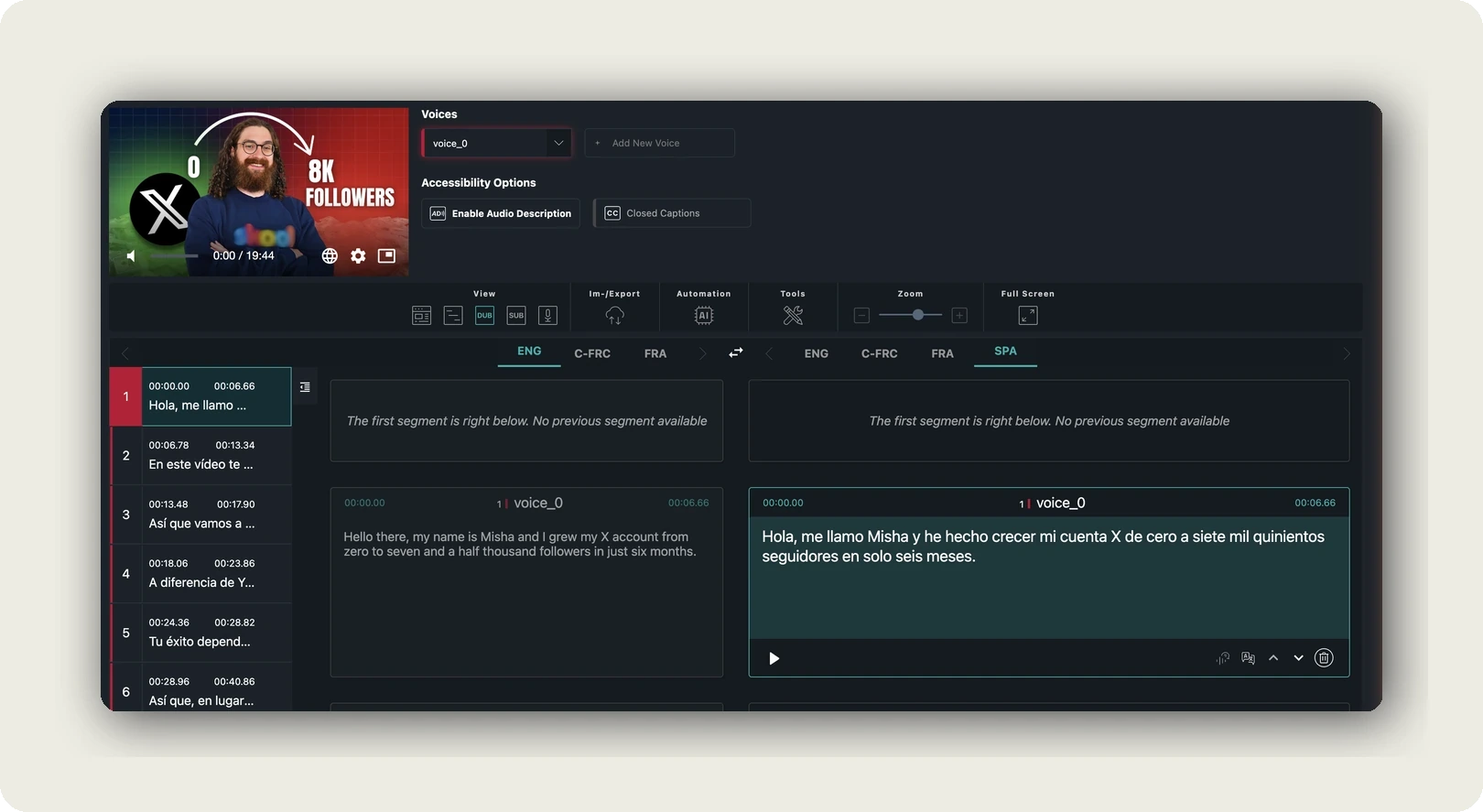
Upload your video and run speech-to-text in alugha’s dubbr workspace. The AI transcribes the Spanish audio at 98% speech accuracy, detects speakers, and color-codes each voice. Before anything runs, the dialog shows the credits required and your remaining balance. For the deeper mechanics of this step, the pillar guide on how to transcribe a video to text covers it in full.
Step 2: review the Spanish transcript
Read the Spanish transcript before you translate a word. Every error in the source survives into the English version, and machine translation reproduces mistakes with full confidence: a mis-transcribed product name comes out wrong in both languages. Check proper names, numbers, and regional vocabulary, and cut filler that adds nothing. This review is the cheapest quality control in the whole workflow.
Step 3: machine-translate to English and review
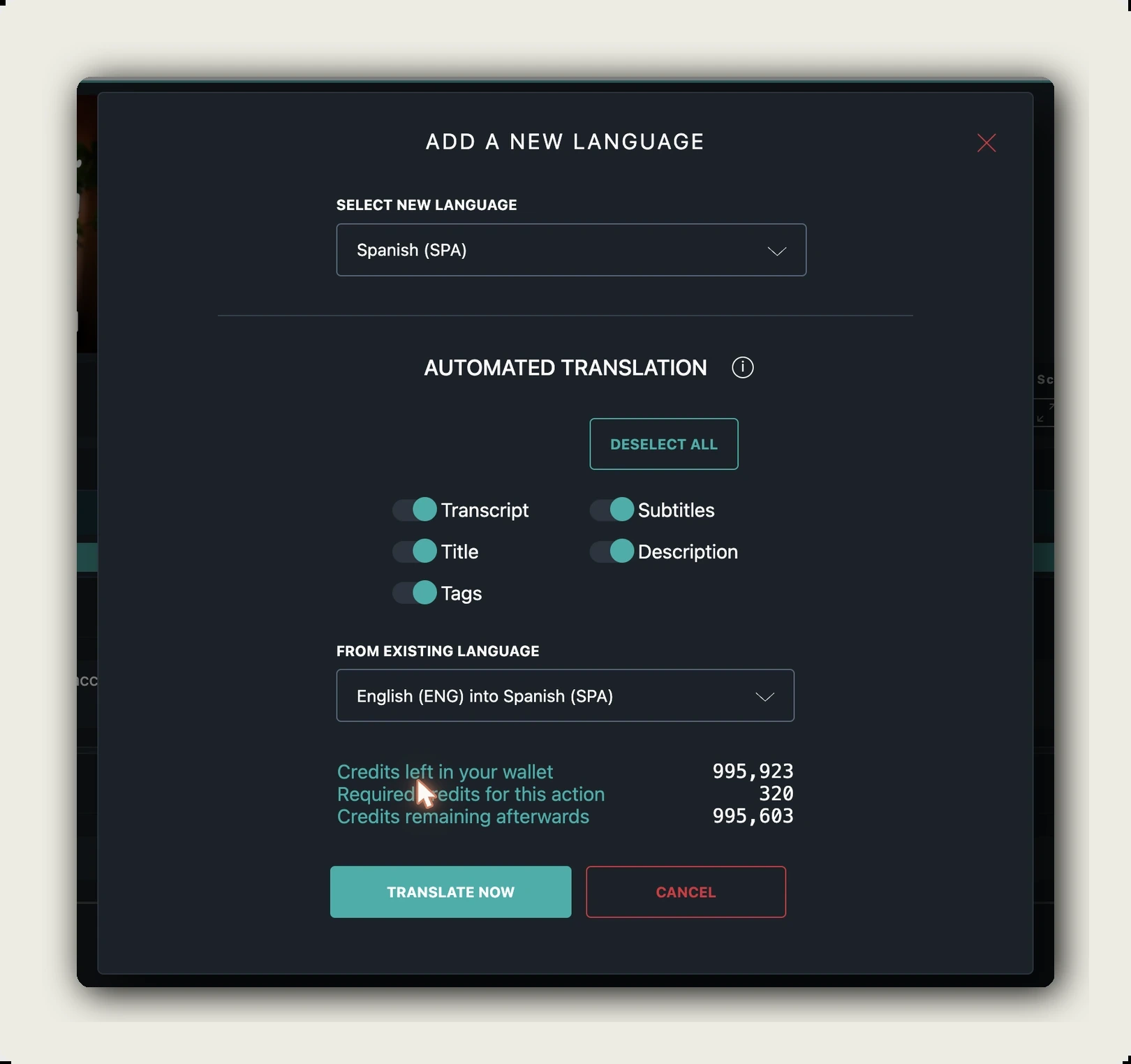
Run automated translation from Spanish to English. alugha’s machine translation supports 200+ languages, and the Glossary keeps your fixed terminology consistent across the output. Then review with a bilingual eye. Idioms, humor, and register need a human decision; a machine renders an idiom literally when it should be replaced. The goal is text that reads as written English, not translated Spanish.
Step 4: choose your output: English subtitles or AI voiceover
With the reviewed English text in place, pick the output. For subtitles, refine them in dubbr and export as WEBVTT, SRT, or plain text, or render the video with burned-in subtitles. For a voiceover, alugha’s text-to-speech offers 400+ AI voices, voice cloning preserves the original speaker’s identity, and emotion cloning maintains the tone of the delivery. The next section weighs the two options.
Step 5: publish both languages on one video
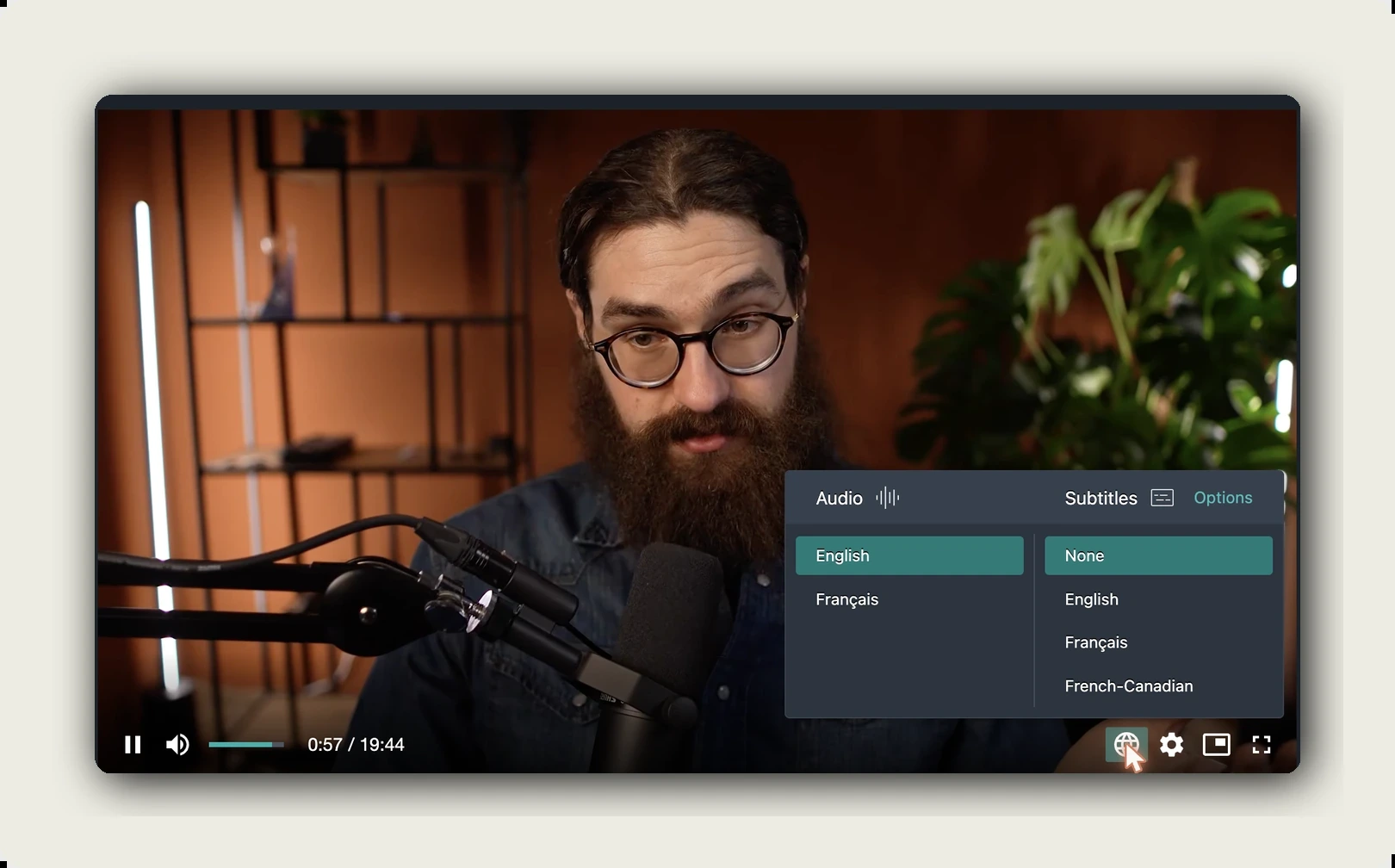
Publish the English version as a language track on the same video. Each language on alugha carries its own audio track and subtitle set, viewers switch inside the multilingual player, and AI-generated metadata gives the English version its own title and description for search. One link now serves both audiences.
Every step above runs in one workspace. Transcription, translation, subtitles, and AI voiceover are part of alugha’s plans. See which plan fits your catalog ?
English subtitles vs. English AI voiceover
Subtitles keep the original performance. Viewers hear the Spanish speaker’s actual voice, which matters for interviews, testimonials, and any content where the person is the point. Subtitles also serve sound-off viewing, and they are faster to review.
An English AI voiceover removes the reading burden. For training, long-form explainers, or audiences watching while multitasking, audio in the viewer’s own language keeps attention on the content instead of the caption line. Voice cloning changes the trade-off that used to define dubbing: the English track can preserve the original speaker’s identity and cadence instead of handing the video to an anonymous narrator.
The decision is not either-or. One alugha video carries subtitles and audio tracks side by side: ship English subtitles today, add the voiceover when the content earns it.
“Subtitles preserve the speaker’s original performance. An AI voiceover removes the reading burden. On one multilingual video, you do not have to choose.”
One video, two languages: publish without splitting your audience
The common mistake is uploading the English version as a second video. Two uploads split view counts, backlinks, and search authority across two URLs, and every future edit has to be made twice. alugha’s language tracks solve this structurally: Spanish and English live on the same video, behind the same link, and the viewer chooses the language in the player.
The same logic holds for embeds. Embed once and the player serves both languages, with subtitles enabled automatically for shared and embedded videos. English metadata works for English search, Spanish metadata for Spanish search.
Frequently Asked Questions
Can AI translate a Spanish video to English automatically?
Yes. alugha transcribes the Spanish audio at 98% speech accuracy, machine-translates the transcript, and generates subtitles or an AI voiceover. The review stays human: idioms, names, and regional vocabulary still need a native check.
How long does it take to translate a Spanish video to English?
Transcription and translation run automatically. Most of the real time budget goes into review, first of the Spanish transcript and then of the English translation. For a short video, that review is typically the longest single step.
Should I choose English subtitles or an English AI voiceover?
Subtitles preserve the original Spanish performance and work with sound off. A voiceover removes the reading burden and suits training or long-form content. On alugha, one video can carry both, so the choice comes down to your audience, not your tooling.
Does the workflow handle Castilian and Latin American Spanish?
The variants differ in vocabulary and forms of address. alugha’s speech-to-text transcribes the audio as spoken, the transcript review is where you correct variant-specific terms, and a glossary keeps terminology consistent from there.
What subtitle formats can I export for the English version?
alugha’s dubbr workspace exports WEBVTT, SRT, and plain text, or renders the video with burned-in subtitles. That covers players that expect sidecar files as well as platforms where captions have to live inside the video file.
How much does it cost to translate a Spanish video to English?
AI features run on credits included in each plan, with additional credits available. Every AI dialog shows the credits required and your remaining balance before you confirm. Current plan details are listed at alugha.com/plans.
Getting started with alugha
For a creator, the workflow above turns an existing catalog into an English-ready one without re-recording a single video. For a team, it is an infrastructure decision: transcription, translation, subtitles, voiceover, and multilingual hosting in one platform instead of a chain of separate tools. Both journeys start the same way, with one video and one transcript.
The lowest-friction test is alugha’s free tier: upload one Spanish video, run speech-to-text, and judge the transcript quality on your own material rather than on a demo.
Get started with alugha’s free tier ? alugha.com/plans