How to build a multilingual onboarding hub in one afternoon
One video. Every language. No manual selection required.– by alugha
Notion is one of the most flexible collaboration tools available today. Most teams using it for onboarding, documentation, and internal communication are making a reasonable choice, and that is not the argument being made here. The argument is simpler than that. Most global teams managing video content in Notion are doing more work than necessary and getting a worse result than they could. Here is the concrete problem. A company operates in four markets. Their Notion onboarding page has a welcome video. To cover four languages, the team produces four separate videos, maintains four files, and updates four versions every time something changes. Or, the more common shortcut, they produce one video and rely on auto-generated subtitles that nobody has fully reviewed. Neither approach is infrastructure. Both are workarounds.
There is a better way, and the setup takes one afternoon
The two things that make alugha different in this context
Before the step-by-step, two things are worth understanding because they change how the whole setup works.
One video for all languages and not one per language.
With Alugha, a single video file carries multiple synchronized audio tracks. German, Spanish, French, Japanese, etc., are all attached to the same video under the same URL. There is no separate file per language. There is no parallel version to maintain. When the content changes, it is updated once. Every language version reflects that update automatically.
Automatic language detection and no manual selection required.
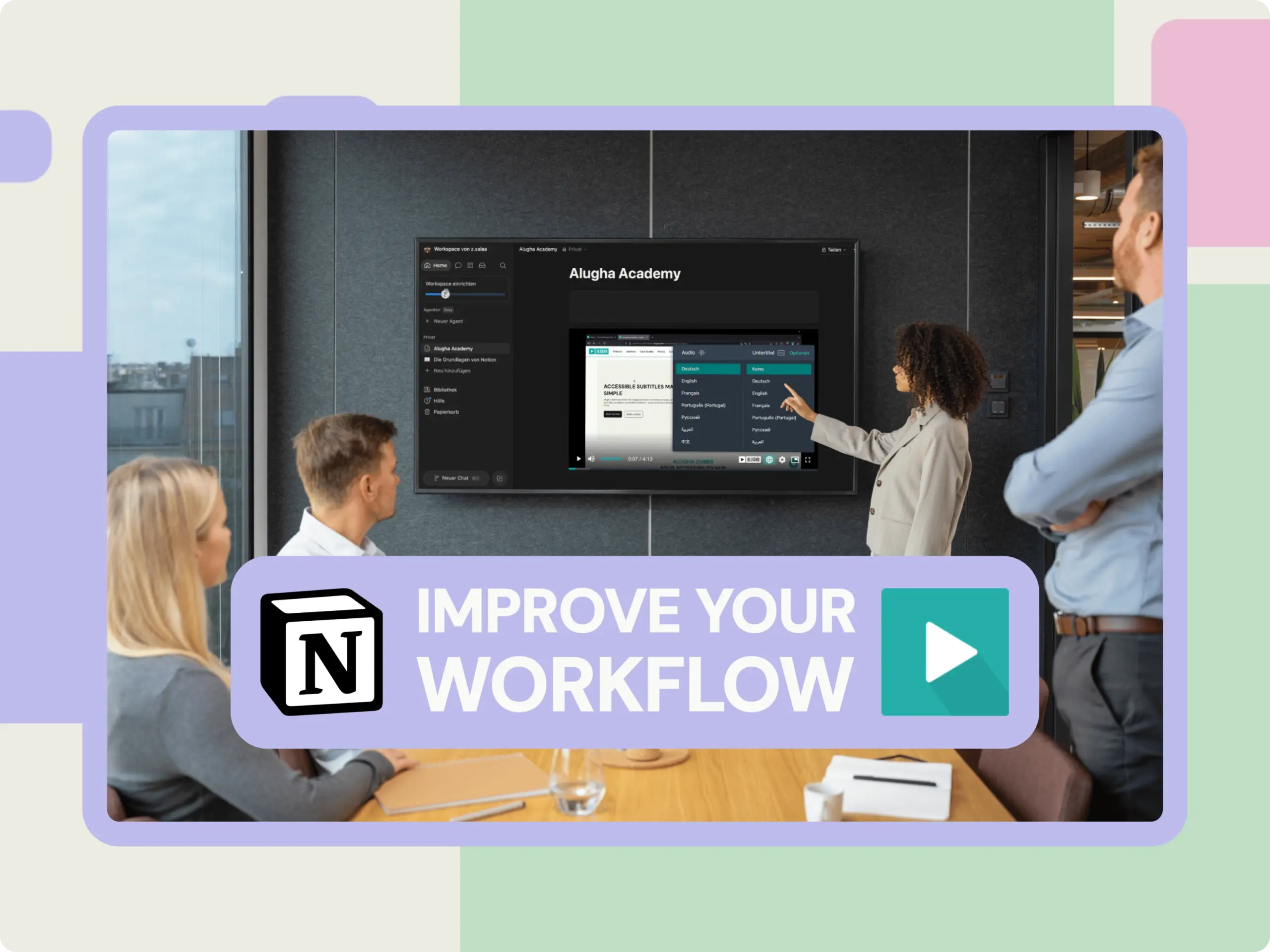
When an Alugha video is embedded in Notion, it reads the browser language of the viewer and plays the correct audio track automatically. A colleague in Spain opens the Notion page, and the video starts in Spanish. A colleague in Germany opens the same page, and the video starts in German. Nobody selects anything. Nobody sees a dropdown and wonders which option to pick. The right language simply plays.
That combination — one video, automatic language delivery — is what makes this worth building.
The viewer in Madrid and the viewer in Munich open the same Notion page. They watch the same video. Neither of them notices that anything was localized. That is the point.
Why the standard workarounds do not hold up
This works until something changes. Then the question becomes, “Which version is current?” Was the update applied to all four language files? Who is responsible for checking? The maintenance cost compounds with every new market, and version drift, where one language version says something different from another, is a when, not an if.
Auto-generated subtitles
For a marketing teaser, tolerable. For an onboarding video explaining probationary period rules, reporting structures, or safety procedures that are not reliable enough. Auto-generated subtitles on technical or compliance content produce systematic errors that are plausible-looking and therefore easy to miss. Nobody flags a subtitle that is almost right.
What is multilingual video hosting?
Multilingual video hosting means one video file is stored with multiple synchronized audio tracks and subtitle tracks all under a single URL. The viewer does not need to select a language manually. Alugha detects the browser language and delivers the correct track automatically. When content is updated on the hosting side, every embedded instance reflects the change: no re-embedding, no duplicate maintenance.
How to embed an Alugha video in Notion, step by step
This takes approximately not even ten minutes once the video is ready on alugha.
Step 1: Upload your video to alugha and add language tracks
Upload the base video to your Alugha workspace. Add dubbed audio tracks for each target language. Alugha supports human-reviewed dubbing as well as AI-assisted options for onboarding content; human-reviewed is worth the investment. For quick process updates, AI- assisted with a light review pass is usually sufficient.
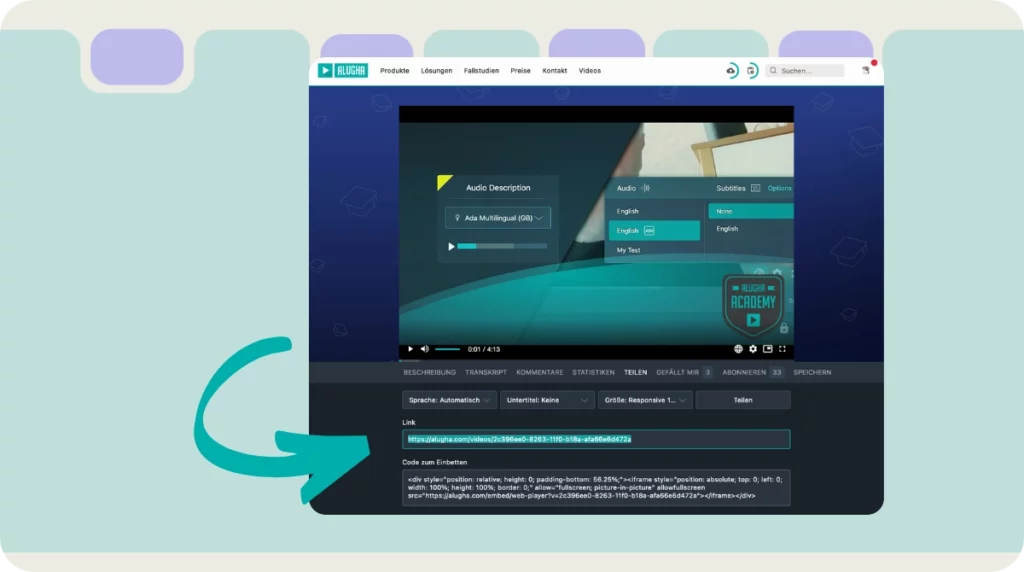
Don’t have an alugha account yet? Get started in less than a minute -> watch our Get Started video to upload your first video on alugha.
Step 2: Copy the video URL
Once the video is published with the relevant language tracks active, copy the share URL from the video settings. One URL, regardless of how many languages are attached.
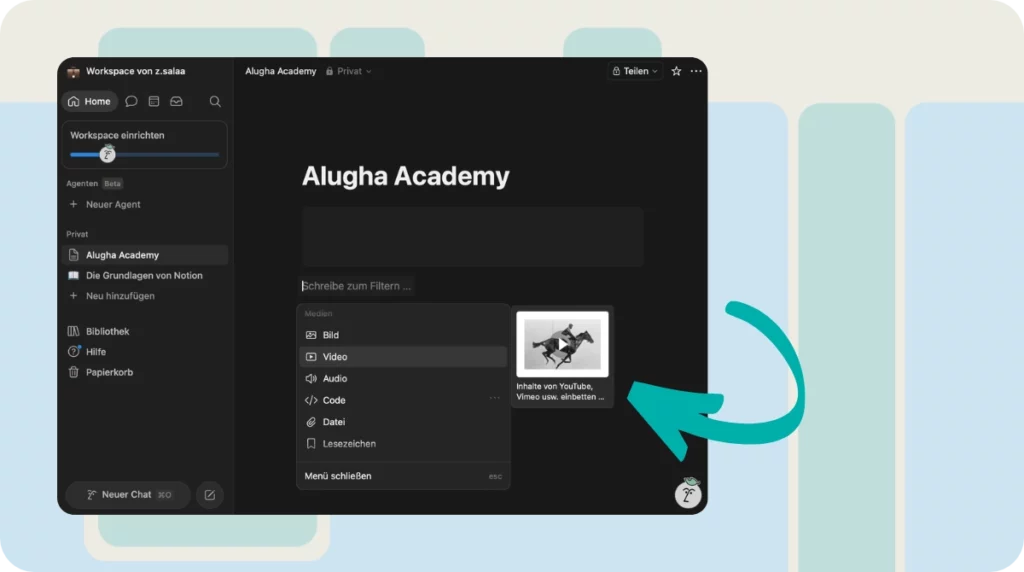
Step 3: Open your Notion page and create an embed block
On a new line in Notion, type /embed and select the embed block from the menu. Notion supports embedding from over 1,900 domains, and alugha is among them.
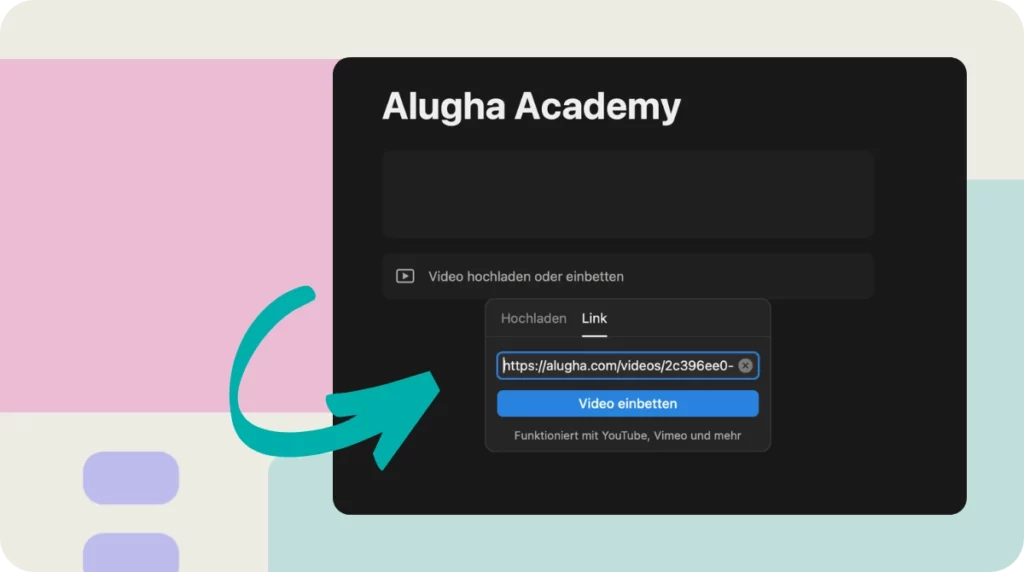
Step 4: Paste the URL and confirm
Paste the alugha URL into the embed field and confirm. The player appears directly in the Notion page, fully interactive. Browser language detection is active by default.
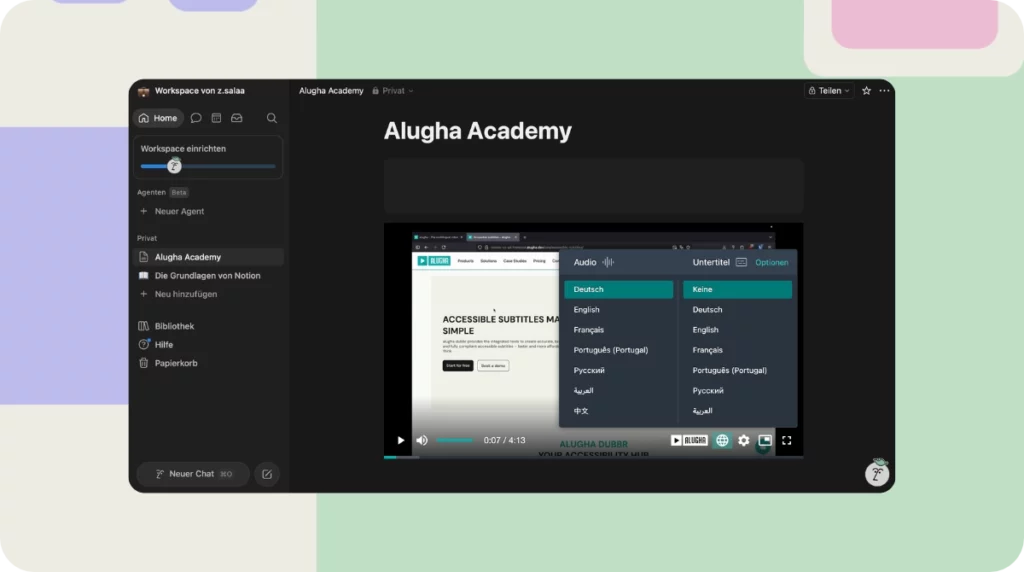
Step 5: Resize and position as needed
Drag the edges of the embed block to adjust the size. Position it alongside written onboarding content video and text on the same page for every market without duplication.
That is the full setup.
What does the viewer actually see?
A standard video player embedded in the Notion page. No redirection, no second platform, no login elsewhere. The video starts in the viewer’s browser language automatically. If they prefer a different language, they can switch in the player. The experience stays entirely within the Notion workspace the team already uses.
Three use cases worth building today
Onboarding
One Notion page, one embedded Alugha video. A new hire in São Paulo opens the same page as a new hire in Berlin, and each hears the onboarding content in their own language, automatically. When onboarding content is updated, the change is made once on Alugha. Done.
Process documentation and SOPs
Process videos embedded next to written steps in Notion are among the most effective ways to document complex workflows. With Alugha, those videos work in every language the team operates in. Same page, same embed block, automatic language delivery per viewer.
Leadership communication
Quarterly updates, strategic announcements, culture-building messages. A CEO records once. Alugha delivers the message in every language, automatically, to every market. The tone, the intent, and the wording arrive as recorded and not as a machine approximation.
Three questions worth asking before next quarter
First: Which Notion pages contain videos and in how many languages is that content confirmed to be accurate? Not approximately. Not “we have subtitles.” Precisely with someone who has watched them and verified the content.
Second: When a process or policy changes, how long does it take for that change to reach all language versions of internal videos? Not in theory. In the last concrete case.
Third: If a new colleague joined tomorrow in a market not yet fully localized for, what would their first week actually look like? Not what it is intended to look like. What it would look like, with the materials currently available.
Those are not rhetorical questions. They mark the gap between a workspace that works for some of the team and one that works for all of it.
Conclusion: One page, every language, no extra work
Notion already does what most teams need. The missing layer for global teams is not a new tool. It is one embed block connected to video infrastructure that handles language automatically.
One video. All languages. Every viewer gets the right one without doing anything. And when something changes, it is updated once.
A workspace built for everyone has to be understandable by everyone, without asking anyone to do extra work to get there.
The gap between where most global teams are today and where they could be is, in this case, genuinely small. The afternoon is available.
Alugha is a multilingual video platform for organizations. One video, multiple synchronized audio tracks and subtitle tracks, one URL, GDPR-compliant, and hosted on European infrastructure. Alugha is used by teams in more than 60 countries.